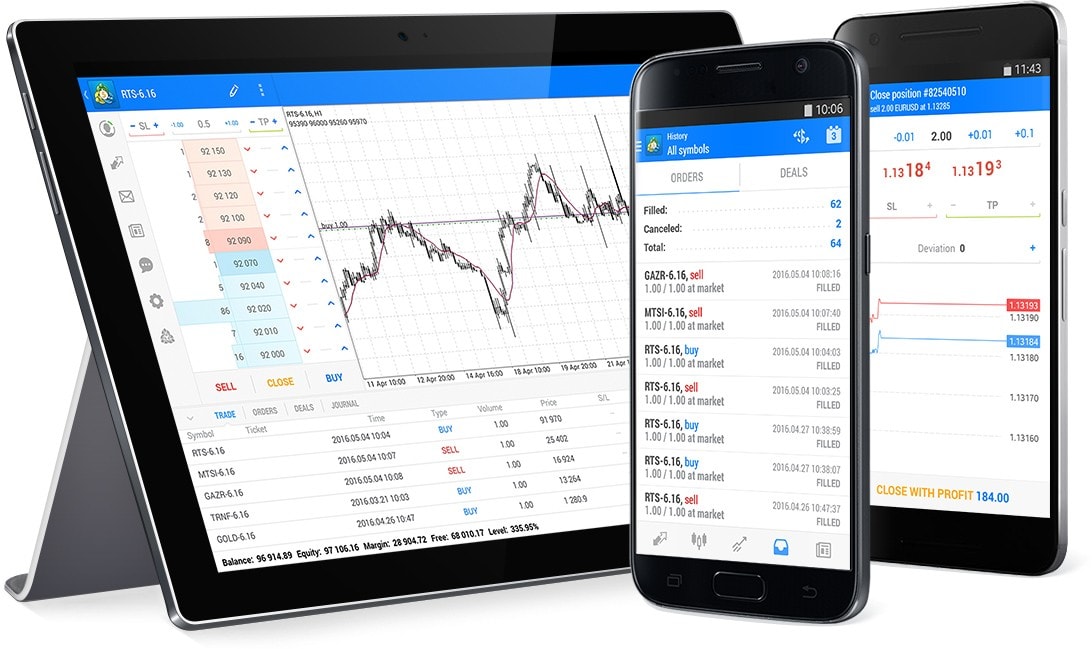
For newcomers venturing into currency trading, Forex may seem intimidating. With a 24-hour market, volatile currency pairs, and relentless worldwide news altering prices, it’s no surprise that you’ll feel lost. The fact remains, though, that software like MetaTrader 5 (MT5) makes it so much easier — especially when paired with easy, newbie-friendly techniques. In this tutorial, we will be covering useful Forex tips for newbies and showing you how you can apply them on MetaTrader 5.
Why Choose MetaTrader 5 for Forex Trading?
MetaTrader 5 is the most capable and widely used platform for Forex trading. It provides a rich set of charting tools, integrated indicators, automated trading, and real-time data feeds — all within an intuitive interface. For beginners, it combines professional-level tools with ease of use. Whether trading live or practicing on a demo account, MT5 facilitates your development at each stage.
Now, let’s discuss a few of the simplest Forex trading strategies for beginners that you can start using today using MetaTrader 5.
1. Support and Resistance Strategy
This is one of the simplest strategies in Forex trading. Support is a price level at which a currency pair will typically find buying interest (it stops falling), and resistance is where it will typically find selling interest (it stops rising).
How to Use on MetaTrader 5:
- Open a chart of a large currency pair like EUR/USD.
- Use the horizontal line tool in MT5 to draw support and resistance levels based on the price highs and lows in the past.
- Buy when the price is close to support, and sell when it is close to resistance.
- Make sure to use the “Crosshair” tool to precisely tag price levels and timeframes.
Beginner Tip:
Use higher timeframes such as the 1-hour or 4-hour chart, as they are more stable and less noisy than shorter charts.
2. Moving Average Crossover
Moving averages are used to smooth out price data and determine trend. A crossover strategy employs two moving averages: a short-term (such as the 9-period MA) and a long-term (such as the 21-period MA).
Strategy Basics:
- When the shorter MA crosses over the longer MA, it can be a buy.
- When it crosses down, it can be a sell.
How to Use on MT5:
- Go to MetaTrader 5, then Insert > Indicators > Trend > Moving Average.
- Add a 9-period and a 21-period moving average to your chart.
- Choose different colors so they can be easily distinguished.
- Keep an eye on crossover points and use them as potential entry signals.
This method is very useful in beginner Forex trading because it’s visual, easy to understand, and generally practiced.
3. Breakout Strategy
Breakout occurs when the price pierces through a key resistance or support level. It typically signifies the beginning of a new direction, and it’s a great moment for newbies to ride the wave.
How to Use:
- Identify a range or a consolidation chart with support and resistance.
- Place a buy stop order slightly above resistance and a sell stop order just below support.
- After price breaks out, your trade is triggered automatically.
MT5 Features That Help:
- Take advantage of the “Pending Order” feature to pre-place buy/sell stop orders.
- Monitor with built-in volume indicators to get solid breakouts (high volume).
4. RSI Overbought/Oversold Strategy
The Relative Strength Index (RSI) is a momentum gauge that measures if a currency pair is overbought or oversold.
- If RSI > 70 → Overbought → Price can come down.
- If RSI < 30 → Oversold → Price can go up.
Using RSI in MetaTrader 5:
- Open Insert > Indicators > Oscillators > Relative Strength Index.
- Default is 14 periods, which is fine for starters.
- Observe RSI to 70 or 30, then trade the reversal.
This is a great plan for new traders who want a rule-based method that helps avoid emotional trading decisions.
5. Demo Account Practice Strategy
Practice any of the strategies listed above before trading actual money using a MetaTrader 5 demo account.
Why It Matters:
- No risk of money when learning.
- You can practice strategies under live market conditions.
- Builds discipline and confidence.
How to create a demo account:
- Download MetaTrader 5 from your broker or the MetaTrader website.
- Choose “Open Demo Account” and enter your balance and leverage.
- Start practicing with live data with virtual funds.
This is the best way of gaining experience and avoiding rookie mistakes.
Final Thoughts
Forex trading for beginners doesn’t have to be difficult. Mastering a couple of simple strategies and having a good platform like MetaTrader 5 can set you off on the right foot. Stay simple, don’t overanalyze your trades, and practice consistently. The more you practice with MT5 and experiment with these strategies, the more comfortable you’ll become with the Forex markets.
Regardless of whether you like to follow price movement, use indicators, or trade breakouts, never lose sight of the fact that discipline, consistency, and continued learning are your best assets. And with MetaTrader 5, all your resources are within reach.